

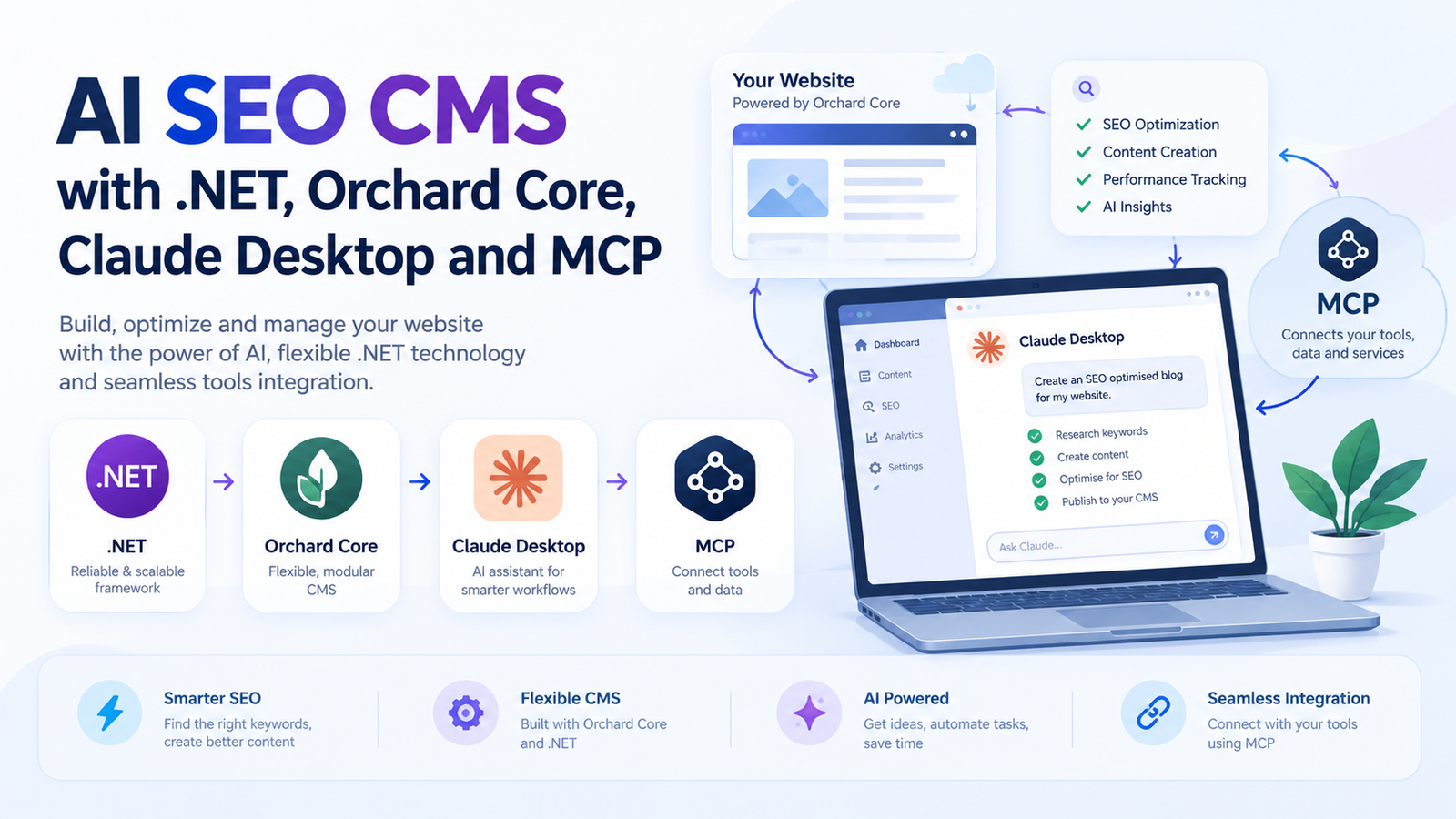

Most content teams still publish the slow way: open the CMS, paste a draft, fix the headings, add links by hand, then bolt on schema at the end. An AI SEO CMS removes that friction. You describe the page you want in plain language, and an AI assistant creates it inside your CMS, links it to the right pages and adds structured data, while you stay in control of what goes live.
In this guide we show how to build that workflow on the Microsoft stack: .NET and Orchard Core as the CMS, Claude Desktop as the interface, and the Model Context Protocol (MCP) as the bridge. If MCP is new to you, start with our walkthrough on building a custom MCP server to connect AI assistants to real tools, then come back here.
What Is an AI SEO CMS?
An AI SEO CMS is a content management system that an AI assistant can operate through a small set of safe, well-defined tools. Instead of clicking through admin screens, the assistant calls actions such as create a page, publish a blog post, update existing content or generate schema markup. SEO rules (titles, meta descriptions, headings, internal links, FAQ sections) are applied consistently every time, which is exactly what AI SEO services aim to achieve at scale.
The Architecture: .NET, Orchard Core, Claude Desktop and MCP
- Orchard Core: an open-source, modular CMS and application framework built on ASP.NET Core. Content types, parts and fields give you a clean structure for pages and blog posts.
- MCP server (.NET): a small service that exposes your CMS actions as tools. The official C# SDK (the ModelContextProtocol and ModelContextProtocol.AspNetCore NuGet packages) makes this straightforward.
- Claude Desktop: the MCP client where you give instructions and review results.
- Google Search Console: the data source that tells the assistant which topics and queries deserve a new post.
The Four Core MCP Tools
1. create_page
Creates a landing page or service page from a title, slug, body and SEO fields. Pages are saved as drafts so a human can approve them first.
2. create_blog
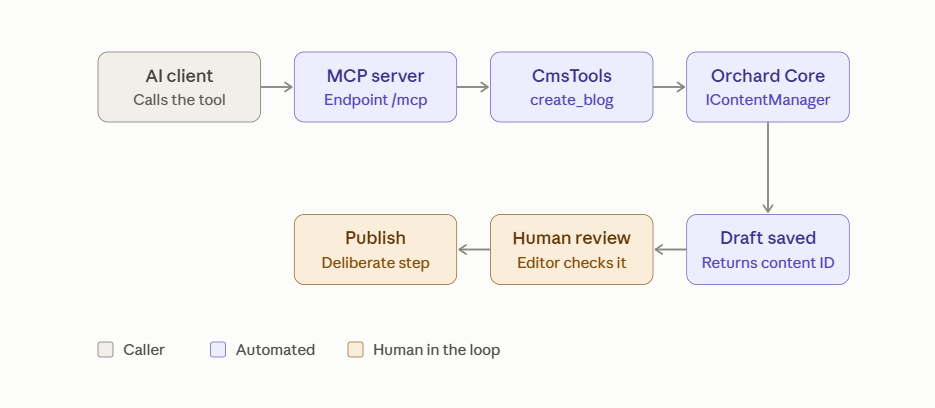
Creates a blog post inside your Orchard Core blog with a headline, structured headings, an FAQ block, meta description and category. This is the tool that turns a Search Console opportunity into a ready-to-review article.
3. update_content
Edits an existing page or post: refreshing statistics, improving a weak introduction, or adding internal links to a new article. It should always return a before-and-after summary so changes are easy to audit.
4. generate_schema
Generates JSON-LD for the content: Article, FAQPage and BreadcrumbList. Structured data helps search engines and AI answer engines understand and cite your content, a topic we cover in how AI models decide which sources to cite.
A Minimal .NET MCP Tool for Orchard Core
The pattern below shows one tool. Register the MCP server in your ASP.NET Core startup (or inside a custom Orchard Core module) and let the SDK discover tools by attribute.
// Startup
builder.Services.AddMcpServer()
    .WithHttpTransport()
    .WithToolsFromAssembly();

app.MapMcp("/mcp");

// Tool
[McpServerToolType]
public class CmsTools(IContentManager contentManager)
{
    [McpServerTool(Name = "create_blog"),
     Description("Creates a draft blog post in Orchard Core")]
    public async Task<string> CreateBlog(
        string title, string bodyHtml, string metaDescription)
    {
        var item = await contentManager.NewAsync("BlogPost");
        item.DisplayText = title;
        // Set the body part and SEO meta fields here
        await contentManager.CreateAsync(item, VersionOptions.Draft);
        return item.ContentItemId;
    }
}
Notice the tool creates a draft. Publishing is a separate, deliberate step, which keeps a human in the loop.
Connect the Server to Claude Desktop
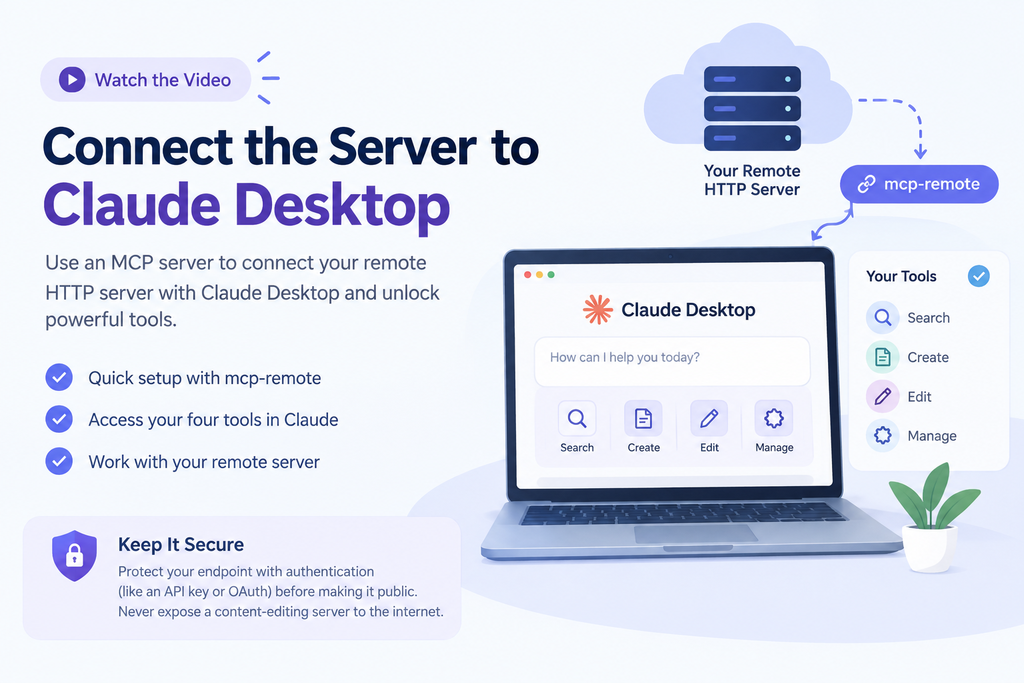
For a remote HTTP server, one common approach is to bridge it through the mcp-remote package in your Claude Desktop configuration file (claude_desktop_config.json). Restart Claude Desktop and your four tools appear in the tools menu.
{
  "mcpServers": {
    "orchard-seo-cms": {
      "command": "npx",
      "args": ["-y", "mcp-remote", "https://your-orchard-site.com/mcp"]
    }
  }
}
Protect the endpoint with authentication (for example an API key or OAuth) before exposing it. An MCP server that can create and edit content should never be open to the public internet.
Use Google Search Console to Pick the Topic
A good AI SEO CMS does not guess topics. Connect Google Search Console so the assistant can find queries with high impressions and low clicks, then draft content for them. We explain the setup in our guide to Google Search Console MCP with Claude AI. For example, a query such as ai content optimization with hundreds of impressions but a low average position is a clear signal to publish a stronger, more specific article and link it to your existing AI content optimization guide.
Automate Internal Linking Safely
Internal links pass authority and help crawlers discover new content. With update_content, the assistant can scan your existing pages, find natural anchor text and add links to the new post. Good rules to enforce in the tool:
- Link only to topically related pages, such as connecting this guide to your agentic AI and automation pages.
- Use descriptive anchor text, not click here.
- Cap new links per page (three to five is plenty) and never link to draft or redirected URLs.
- Log every change so an editor can review and roll back.
See the Same Idea on WordPress
The same MCP approach works on other platforms. Our own site runs on WordPress, and we explain how Novamira connects Claude to WordPress through MCP. The concepts (tools, drafts, human approval) are identical whether the CMS is Orchard Core or WordPress.
Frequently Asked Questions
What is an AI SEO CMS?
An AI SEO CMS is a content management system that an AI assistant can operate through defined tools to create, update and optimize content, including titles, internal links and schema markup, while a human approves what is published.
Why use Orchard Core for an AI-driven CMS?
Orchard Core is an open-source, modular CMS on ASP.NET Core. Its structured content types and C# extensibility make it a natural fit for teams that already work in .NET and want to expose CMS actions as MCP tools.
Does Claude Desktop support custom MCP servers?
Yes. Claude Desktop can connect to MCP servers, so your own .NET server can expose tools such as create_page and create_blog. Remote HTTP servers are commonly connected through a bridge such as mcp-remote, and the server should be protected with authentication.
Should the AI publish content automatically?
We recommend against it. Have tools create drafts, review the output, then publish manually. Human review protects accuracy, brand voice and search quality.
How does schema markup help SEO and AI search?
Schema markup such as Article and FAQPage gives search engines and AI answer engines a clear, machine-readable summary of your page, which can support rich results and improve how your content is understood and cited.
More questions? Visit our Agentic AI FAQ. You can also explore our GEO and AEO services.
Next Steps
Start small: build one tool (create_blog), keep it draft-only, and connect Search Console for topic ideas. If you would like help designing an AI SEO CMS for your .NET or WordPress site, contact our team.