
Managing a WordPress website has traditionally involved juggling multiple tools-logging into the WordPress dashboard, switching between plugins, editing code, optimizing SEO, and manually publishing content.
Whether you’re a blogger, agency owner, marketer, or developer, these repetitive tasks consume valuable time that could be spent growing your business.
Fortunately, the rise of AI-powered workflows is changing how websites are managed. Instead of manually completing every task, AI assistants can now perform much of the heavy lifting while you remain in complete control.
One of the most exciting developments in this space an AI-powered WordPress connector that enables assistants like Claude AI to interact directly with your WordPress website using the Model Context Protocol (MCP).
In this guide, we’ll explore how works, why AI-powered WordPress management is becoming essential, and how businesses can use it to streamline content creation, SEO, automation, and website maintenance.
Instead of copying content from ChatGPT or Claude into WordPress manually, Novamira allows AI assistants to communicate directly with your website through a secure MCP connection.
This means an AI assistant can:
- Create blog posts
- Edit existing pages
- Upload media
- Modify SEO metadata
- Manage categories and tags
- Execute WordPress functions
- Run WP-CLI commands
- Access the WordPress REST API
- Read existing website content
Unlike traditional AI writing tools, Novamira doesn’t stop at generating text—it helps automate the entire publishing workflow while keeping a human reviewer in control before anything goes live.
Understanding MCP (Model Context Protocol)
The Model Context Protocol (MCP) is an open standard that allows AI assistants to securely connect with external applications.
Think of MCP as a secure communication bridge.
Instead of AI simply generating responses based on prompts, MCP allows it to:
- Understand your website structure
- Read existing pages
- Access WordPress data
- Execute approved actions
- Work within predefined permissions
This creates a much safer workflow than giving an AI unrestricted access to your server.
Every action remains transparent, reviewable, and controllable.
Why AI and WordPress Are a Perfect Match
WordPress powers more than 40% of all websites worldwide, making it the most popular content management system.
However, managing WordPress still involves many repetitive tasks:
- Publishing blogs
- Formatting content
- Updating images
- Optimizing SEO
- Adding internal links
- Editing FAQs
- Fixing broken layouts
- Updating plugins
- Managing categories
These activities don’t necessarily require creativity—they require time.
AI excels at repetitive work.
Instead of spending hours performing these tasks manually, site owners can instruct an AI assistant to complete them in minutes while maintaining editorial oversight.
This significantly increases productivity without sacrificing quality.
From AI Writing to Complete WordPress Management
Many businesses already use AI to generate blog content.
The problem begins after the content is written.
Typically, someone still has to:
- Copy the content
- Paste it into WordPress
- Add headings
- Insert images
- Format lists
- Create internal links
- Optimize SEO
- Publish the article
Novamira eliminates these manual steps.
Instead of acting as a writing assistant, it becomes a WordPress management assistant capable of handling the publishing workflow from start to finish.
Key Features of Novamira
1. AI-Powered Blog Creation
Creating high-quality content becomes significantly faster.
Instead of manually drafting every article, you can instruct Claude AI to:
- Research a topic
- Create an outline
- Write the article
- Format headings
- Save as a draft
The result is a polished article waiting for editorial review.
2. Edit Existing WordPress Pages
Updating website content is often overlooked because it takes time.
With Novamira, AI can:
- Refresh outdated information
- Rewrite paragraphs
- Improve readability
- Update CTAs
- Correct formatting
- Add new sections
This is particularly useful for maintaining evergreen content.
3. Manage Gutenberg Blocks
Unlike plain-text AI tools, Novamira understands WordPress’s block editor.
It can create:
- Image blocks
- Buttons
- Columns
- FAQs
- Tables
- Call-to-action sections
- Quote blocks
- Lists
This reduces the need for manual page building.
4. SEO Optimization
Publishing content is only part of the SEO process.
Novamira can also help optimize:
- Meta titles
- Meta descriptions
- Header hierarchy
- Keyword placement
- Internal linking
- Image alt text
- Slugs
When combined with AI content strategies, this helps improve search visibility.
5. WordPress Automation
Because Novamira communicates with the WordPress REST API and WP-CLI, it becomes part of larger automation workflows.
Examples include:
- Publishing scheduled content
- Updating landing pages
- Creating FAQ pages
- Syncing CRM information
- Generating documentation
- Managing product descriptions
This reduces repetitive administrative work.
AI Content + WordPress = Smarter SEO
Content marketing isn’t just about publishing articles.
A successful SEO strategy also requires:
- Keyword research
- Topic clustering
- Internal linking
- Metadata optimization
- FAQ generation
- Regular content updates
Novamira allows AI to assist with every stage of this process.
For example, after creating a blog post, Claude AI can automatically:
- Add related internal links
- Suggest relevant anchor text
- Create FAQ sections
- Improve readability
- Optimize heading structure
This creates a more complete SEO workflow than using standalone AI writing tools.
Related Reading: AI Content Optimization: How Artificial Intelligence Improves SEO and User Experience
Connecting WordPress with Business Automation
Modern businesses rarely use WordPress in isolation.
They often rely on:
- CRM systems
- Email marketing tools
- Support platforms
- Workflow automation software
- AI assistants
Novamira fits naturally into these ecosystems.
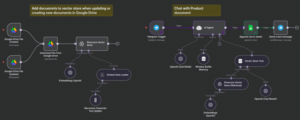
For example, if your business uses automated workflows through n8n, new customer data can automatically trigger:
- Knowledge base updates
- Blog publishing
- FAQ generation
- Landing page modifications
This reduces manual maintenance while keeping website information current.
Related Reading: Customer Query and Response Automation Using n8n
Better AI Chatbots Start with Better WordPress Content
Many businesses are now building AI-powered search experiences and chatbots.
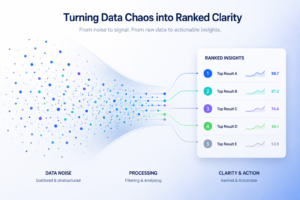
These systems often rely on Retrieval-Augmented Generation (RAG) to retrieve accurate information.
However, RAG systems are only as good as the content they access.
Well-structured WordPress articles with clear headings, FAQs, and organized content improve retrieval quality significantly.
Novamira helps maintain this structure automatically, making your website a stronger knowledge source for AI assistants.
Related Reading: How RAG Helps Prevent LLM Hallucinations
Best Practices for Using AI with WordPress
To get the most value from Novamira, consider these recommendations:
Keep Humans in the Loop
AI should accelerate your workflow—not replace editorial review.
Always approve important updates before publishing.
Start Small
Begin with:
- Blog drafting
- Metadata updates
- Internal linking
Then gradually expand into full automation.
Build Content Clusters
Instead of isolated blog posts, create related articles connected through strategic internal links.
This improves SEO while helping AI understand your website structure.
Monitor Performance
Track:
- Organic traffic
- Keyword rankings
- Click-through rates
- User engagement
Use these insights to refine future AI-generated content.
The Future of AI-Powered WordPress
The next generation of WordPress management won’t involve spending hours inside the dashboard.
Instead, you’ll simply tell an AI assistant what you want.
Examples include:
- “Create a new service page.”
- “Update all pricing tables.”
- “Rewrite outdated blogs.”
- “Publish next week’s content calendar.”
- “Add internal links to our newest articles.”
- “Generate FAQs for every service page.”
Novamira makes these workflows possible today by combining AI assistants with secure WordPress access through MCP.
As AI continues to evolve, businesses that embrace these tools early will spend less time on repetitive website management and more time creating value for their customers.
Final Thoughts
AI is rapidly changing how websites are built, managed, and optimized. Novamira represents a significant step forward by enabling AI assistants like Claude to securely interact with WordPress through the Model Context Protocol (MCP).
Rather than replacing human creativity, Novamira enhances it by automating repetitive tasks such as content publishing, page editing, SEO optimization, and workflow automation. Whether you’re a content marketer, agency, developer, or business owner, integrating AI into your WordPress workflow can dramatically improve efficiency while maintaining full editorial control.
If you’re ready to modernize your WordPress workflow, start with a single AI-assisted task and gradually expand into a fully automated content management system.
Frequently Asked Questions (FAQ)
What is MCP in AI?
Model Context Protocol (MCP) is an open standard that enables AI assistants to securely connect with external applications like WordPress while maintaining controlled permissions.
Can AI publish directly to WordPress?
Yes. With tools like Novamira, AI can create drafts, edit posts, manage Gutenberg blocks, update SEO fields, and publish content after human approval.
Is Novamira safe to use?
Yes. Novamira is designed to operate through controlled permissions, allowing users to review AI-generated changes before they are published.
Can Novamira improve WordPress SEO?
Absolutely. It can assist with internal linking, metadata generation, heading optimization, FAQ creation, image alt text, and content formatting to support better SEO.
Does Novamira work with Gutenberg?
Yes. Novamira understands the Gutenberg block editor and can create, edit, and manage WordPress blocks automatically.
Can Novamira be integrated with automation tools?
Yes. It works well alongside automation platforms such as n8n and can interact with the WordPress REST API and WP-CLI for advanced workflows.
Who should use Novamira?
Novamira is ideal for content marketers, SEO professionals, agencies, developers, publishers, and businesses looking to automate WordPress management while retaining editorial control.